
3D parts catalogue platform
PartsBee
Find the right part in 3D. Every part named, numbered and ready to order.
In short
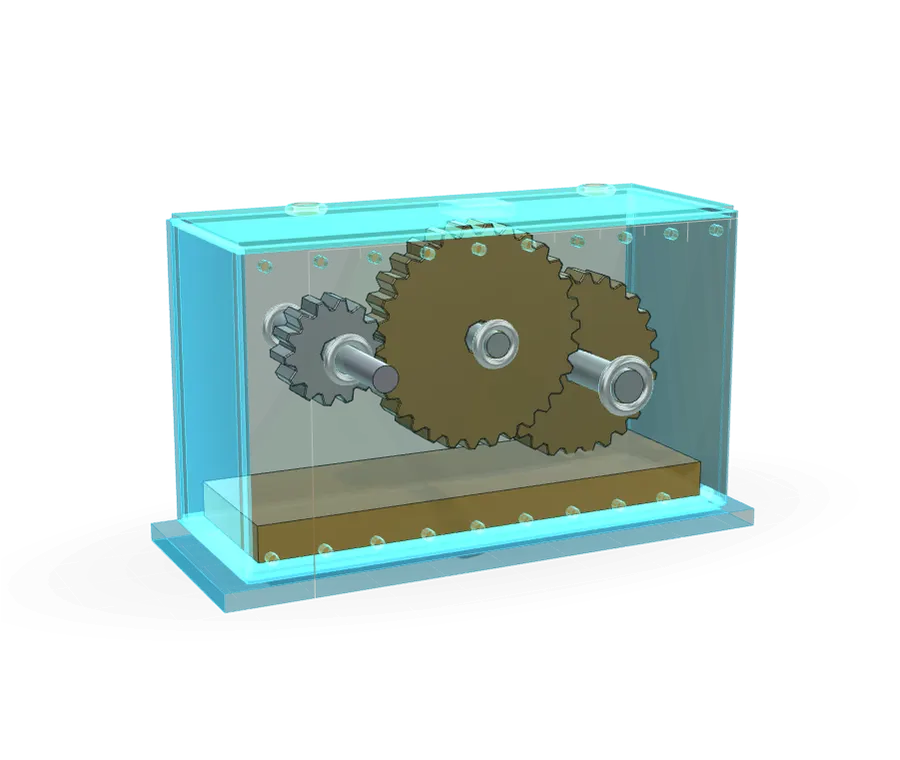
PartsBee is Beebox Studios' web platform for interactive 3D parts catalogues. Pick a part on the machine or search by part number, and see the same part highlighted in both places, for the right machine variant and region.
Capabilities
What PartsBee does
- 01
Two-way 3D highlighting
Select a part in the model and it highlights in the hierarchy. Select it in the hierarchy or search and it highlights in 3D.
- 02
Variant and region aware
Switch machine variant or region and part numbers update, including separate numbers for accessories and sub-parts.
- 03
Search by part or machine
Find a part number across machines, filter by region or version, or open a machine by name.
- 04
Grouped quantities
Identical parts are grouped, with the quantity shown, so a buyer sees what one machine needs.
- 05
Part lists and export
Build a list of the parts you need and export the part numbers, ready for your ordering process.
- 06
Manuals and links per machine
Attach maintenance and troubleshooting manuals and web links to each machine, next to its parts.
What is PartsBee?
PartsBee is the parts catalogue platform from Beebox Studios, an enterprise AR, VR and 3D company founded in Chennai, India in 2017. It replaces the PDF exploded diagram and the Excel part sheet with one interactive 3D catalogue that runs in a web browser.
Beebox Studios prepares optimised 3D models with the part hierarchy from your CAD data, and maps your part-number sheets to the model’s parts. Your team then verifies and publishes the catalogue.
Who is PartsBee for?
- OEM after-sales teams. Give dealers and customers a catalogue that names the exact part, not a drawing balloon.
- Dealers and service engineers. Identify a part on screen and build the order list in one place.
- Maintenance and stores teams. Look up spares by machine, variant and region, with manuals alongside.
What problems does PartsBee solve?
- Wrong part ordered. Part numbers differ by region and variant. PartsBee shows the number that belongs to this machine.
- Hard-to-read drawings. A part is easier to recognise in 3D, with its parent assembly and neighbours visible.
- Catalogue and spreadsheet drift. One published source replaces separate PDFs and Excel files that go out of date.
- No view of usage. Analytics show which machines and parts users look up most.
How is PartsBee managed?
PartsBee separates who builds the catalogue from who maintains it, with sign-in and role-based access:
- Beebox administrator. Creates the machine, uploads the optimised 3D model and part hierarchy, and maps your part-number sheet to the model.
- Enterprise administrator. Tags, verifies and publishes. Adds new part IDs, removes obsolete parts and machines, and attaches manuals and links.
- Member user. Browses, searches, highlights parts, builds part lists and exports them.
How does PartsBee fit with other Beebox Studios products?
PartsBee shares 3D content with the rest of the suite. SalesBee uses the same models for demos. SkillBee teaches assembly and maintenance procedures. CheckBee guides inspections on the same components. TwinBee links live asset data to the part that needs attention. To see PartsBee with your own machine, send a CAD file and a part-number sheet and contact Beebox Studios.
How it works
Rolling out PartsBee
- 1
Select the machines
Start with one machine family.
- 2
Prepare the 3D model
Beebox Studios prepares an optimised 3D model from your CAD data, with the part hierarchy.
- 3
Map part numbers
Link your Excel part-number sheet to the parts in the 3D model.
- 4
Verify and publish
Your administrator checks the catalogue and releases it.
- 5
Extend
Add machines, variants, regions and users.
What is PartsBee?
PartsBee is a Beebox Studios web platform for interactive 3D parts catalogues, with part identification, search, part lists and export.
Can PartsBee use our existing part-number sheets?
Yes. Beebox Studios maps your Excel part-number sheet to the parts in the 3D model, including variant, region and accessory numbers.
Can it connect to our parts-ordering platform?
Part lists can be exported today. Integration with an existing ordering platform is agreed during scoping.
Do users need to install anything?
No. PartsBee runs in a web browser.
How is access controlled?
Users sign in, and roles decide who can view, edit and publish.
Next step
See PartsBee with your own product
Send us a CAD file, a drawing or a product brochure. We will show you what an interactive 3D demo, a VR simulation or a live digital twin of it could look like.
Or call +91 87544 83451